

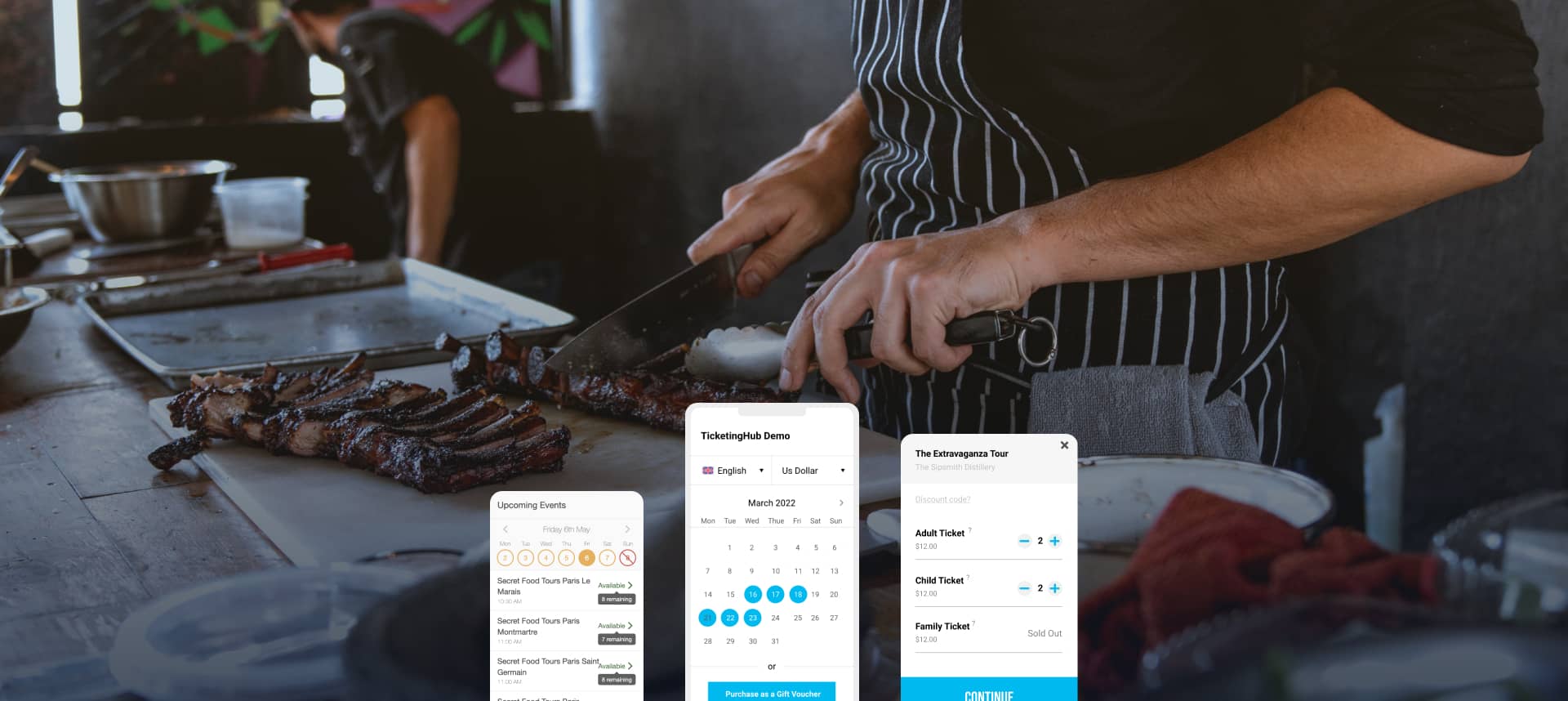
Are you still managing your cooking class bookings with a paper calendar and phone calls? Double-booked classes and lost reservations can create quite a headache.
The right booking software will make your business run more smoothly and streamline your daily tasks. You won’t have to worry about scheduling mix-ups anymore, and you’ll get back hours of your time. Many businesses and schools have already made the switch to digital booking systems that cut down their workload.
A small monthly fee of $20-$30 USD gives you access to everything you need – online payments, marketing data, and live calendar updates. This modest investment helps build your professional image and gives you peace of mind.
We’ve researched the top solutions to help you pick the right cooking class booking software. Our evaluation shows Bookeo leads the pack, but we’ll show you four other great options to think about. Let’s find a scheduling system that fits your needs perfectly!
Bookeo
Bookeo is a great choice for cooking instructors. It offers easy cooking class booking software that provides hassle-free scheduling and makes student registration and payment processing simple.
Key Features of Bookeo
Bookeo has a detailed calendar system you can access from anywhere. The platform shows your course registrations, class rosters, and payments live. You can also control what each team member sees.
The system fits any device screen size perfectly, making it convenient for you and your students. You can manage bookings from any mobile device without technical problems.
Security is a top priority. Bookeo keeps all student information, instructor data, and payments safe through:
- Strong security infrastructure
- SSL/TLS encryption (128-bit or 256-bit)
- PCI-DSS compliant payment processing
- Multi-factor authentication options
The payment system adapts to your needs. Based on your priorities, you can ask for full prepayment, collect deposits, or safely store card details for reservations.
Pros of Bookeo
The system prevents costly no-shows effectively. Students receive automatic email or text reminders about upcoming classes. These messages include suggested arrival times to keep everyone on schedule.
Instructors get instant updates when someone books, reschedules, or cancels. This live information helps with better planning.
The platform tracks financial details perfectly. You can monitor gift voucher usage, prepaid credits, and promotional discounts easily. This helps simplify accounting and shows which offers bring the most business.
Many cooking schools report that Bookeo handles 60% of their bookings automatically, with payment processing and accurate scheduling.
Best Use Case for Bookeo
Bookeo works great for cooking instructors who teach different class formats. The system handles various cooking sessions smoothly, from one-time speciality courses to weekly classes.
Multi-teacher cooking schools find Bookeo’s staff management features particularly helpful. Teachers get notifications about new bookings, schedule changes, or cancellations even when they’re away.
Bookeo serves cooking schools of all sizes. The platform grows with you, from single instructors to multi-branch operations. This makes it perfect for growing culinary businesses that want to keep the same system as they expand.
SevenRooms
SevenRooms gives cooking instructors more than a simple scheduling tool. This complete booking platform helps you build stronger connections with students and run your operations smoothly.
Key Features of SevenRooms
The platform’s guest-focused reservation system stands out from the crowd. You’ll get valuable data to understand your students better. Each booking builds detailed profiles that track visit history and student priorities.
Students automatically get tagged as “VIPs,” “Regulars,” or with specific tags like “Wine Lovers”. These insights let you create tailored experiences during classes and in your follow-up messages.
The booking widget speaks 15 different languages and matches your brand perfectly. You keep full ownership of all guest data since it’s your direct reservation tool.
The platform combines smoothly with about 50 POS systems, which cuts down your tech costs. Smart seating assignments make the most of your cooking class space. The system also runs marketing campaigns automatically, so you won’t need extra marketing staff.
Pros of SevenRooms
Revenue tracking gives you a clear picture of your business. Cooking schools using SevenRooms earn around $115,000 USD yearly from prepaid special cooking classes. On top of that, the platform helps businesses boost per-cover spending by 50% through prepayments.
You won’t pay any booking commissions, a huge plus since many guests find restaurants through commission-free channels. Some schools have cut their fees in half, which makes a big difference for busy venues.
The system brings all your venue data together nicely. Students can see class times for all locations in one search, keeping them in your system. Smart waitlist features give accurate wait times and keep students interested with real-time updates.
The marketing automation really delivers results. Businesses have earned £28,000 more through automated email campaigns. Others have added 78,000 new email addresses to their lists.
Best Use Case for SevenRooms
SevenRooms works best for cooking instructors who want to earn more than just class fees. The platform makes it easy to sell special events through secure prepayment options.
Premium cooking schools can sell upgrades right in the booking process. Your kitchen becomes an event space for ticketed experiences like cocktail classes or themed cooking nights.
The system helps prevent no-shows with credit card deposits and flexible cancellation rules. You can spot frequent cancellations and create strategies to bring these students back.
Multi-location cooking schools love how the platform shares booking data between venues. Students get the same great experience at any location. This makes it simple to promote experiences across all your cooking school sites.
Wix Bookings
Wix Bookings can turn your cooking class website into a full-service booking platform. This built-in scheduling system allows your cooking class attendees to book and pay online. You can focus on teaching instead of handling administrative tasks.
Key Features of Wix Bookings
Cooking instructors can choose from three different service types in Wix Bookings. Private cooking lessons work best with appointments where clients book specific time slots.
Students can join recurring cooking demonstrations through classes without committing to every session. Multi-day cooking workshops or series fit perfectly into the course’s format.
The system prevents scheduling conflicts by syncing with Google Calendar. Cooking instructors can schedule both one-on-one and group cooking sessions. Each class can have its own participant limits.
The platform goes beyond scheduling with payment processing for all major credit cards. You decide whether to take payments online, in person, or both. The platform also supports membership plans and packages, perfect for multi-class discounts or VIP cooking experiences.
Teaching at multiple locations? Wix Bookings manages various venues without mix-ups. Each service page shows beautiful photos and detailed descriptions. Students know exactly what culinary experience they’re signing up for.
Pros of Wix Bookings
- Commission-free operation – Wix doesn’t charge any booking fees, unlike other platforms
- Automated reminders – Email and SMS notifications help reduce no-shows
- Custom booking forms – Students can share their dietary restrictions or experience levels
- Mobile management – iOS and Android apps let you manage your cooking class schedule anywhere
- Client profiles – Keep track of booking history, payment status, and notes about your cooking students
The platform merges naturally with other Wix features like invoice generation, email marketing, and CRM tools. You can manage your entire cooking instruction business from one dashboard.
Best Use Case for Wix Bookings
Independent cooking instructors who use the Wix platform will find great value in Wix Bookings. The system shines when you offer different class formats, from private knife skills tutorials to weekly group pasta-making classes and multi-day baking intensives.
Cooking schools with different payment needs will love this platform. You can ask for deposits on equipment-intensive classes or create membership plans for regular students.
Custom booking forms help specialised cooking instructors gather vital information about food allergies or previous experience before class starts.
The platform’s design flexibility benefits instructors who care about visual appeal. You can display image galleries of previous cooking classes right next to your booking calendar. New entrepreneurs appreciate how it handles both website and cooking class booking software needs without requiring technical knowledge.
The scheduling system becomes part of your website’s design, unlike standalone booking tools. This creates a unified brand experience for your culinary students from the moment they browse to when they book.
StayFlexi
Want to automate your cooking class operations? StayFlexi lives up to its name by making life easier for cooking instructors who need to simplify their booking processes.
Key Features of StayFlexi
StayFlexi works as a complete property management system that takes care of everything you need to run a culinary business.
The platform includes:
- Mobile-First Management – You can run your cooking studio from your phone or tablet. Handle bookings, payments, and see performance stats on the go
- Drag & Drop Calendar – A colour-coded system lets you manage reservations, walk-ins, and check-outs with ease
- Built-in Channel Manager – You’ll connect to over 100 booking platforms that sync within 5 seconds to stop double-bookings
- Payment Automation – Take payments through credit cards, UPI, and payment links
- Flexi AI Assistant – The industry’s first AI system handles your reservations, pricing, and gives you performance insights
The platform’s POS system helps you set up any food service outlet. You can add menu items, set up tables, and start selling in just 15 minutes.
Pros of StayFlexi
Cooking instructors will find their operations streamlined in several ways. The system removes the need for round-the-clock front desk staff through contactless check-in. Students can do everything from their phones.
The smart pricing system adjusts your class prices based on demand. You set rules like “When booking hits 70%, add $10 to the price”. This happens by itself on all booking channels.
The Smart Housekeeping feature makes a big difference, too. Students send requests through the mobile website, and staff get notifications right away. This keeps work from building up during busy times.
Businesses using StayFlexi say they’ve cut their workload by 40% and seen their direct bookings double. The Flex Collect feature makes payment collection more reliable by turning post-paid bookings into prepaid ones.
Best Use Case for StayFlexi
Cooking schools that want flexible scheduling options will get the most from StayFlexi. The platform really shines when your students want different check-in times or self-service booking.
Cooking instructors with multiple venues will find the system particularly useful. They can track inventory across locations and share booking information between properties. Students get the same experience at every kitchen they visit.
The POS features let cooking studios with retail components sell both classes and products in one system. You can even offer time-based services like knife skills workshops by the hour.
Need cooking class booking software that automates everything? StayFlexi could be what you’re looking for.
Roomify
Roomify stands out as a flexible booking option for cooking instructors looking to scale their business.
Key Features of Roomify
The system grows with your business, whether you run a single cooking studio or multiple locations with different instructors. Roomify’s reservation system runs on BAT, an open-source Booking and Availability Management framework.
Students can book classes in three ways. They can make instant bookings and check out right away. If they need more details, they can ask questions before booking. You can also add bookings yourself for phone calls or walk-ins.
Each booking captures detailed guest information that connects to your commerce orders. This link gives you complete financial records for every class booking.
You can choose between cloud hosting and self-hosted options based on your tech expertise. The self-hosted version puts you in control of your data and customisation options.
Pros of Roomify
The platform’s Drupal connection is a huge plus. Roomify’s team plays an active role in the Drupal community and maintains several modules. Their involvement ensures quick updates and reliable support.
Roomify goes beyond simple bookings. It provides third-party integrations, content strategy, marketing help, multilingual support, and SEO services. These tools help cooking instructors boost their online visibility.
The manual booking feature comes in handy for last-minute additions or phone reservations. You can pick dates on your calendar and create bookings right away without waiting for guest input.
Best Use Case for Roomify
Drupal website owners will love Roomify. It blends right in with existing systems, so there’s no need to learn something completely new.
Growing cooking schools will find Roomify particularly useful. The platform keeps up as you expand from one kitchen to multiple locations with different instructors.
Tech-savvy instructors appreciate the self-hosted option. They get full control over data and customisation, perfect for schools with specific branding needs.
The platform works great for instructors who handle both online and offline bookings. You’ll never miss a booking chance thanks to the mix of automatic online bookings and manual entries.
Take a look at more cooking class booking software options to find what works best for your culinary business.
Conclusion
Digital booking systems can revolutionise your cooking instruction business, making paper calendars obsolete. A thorough review of 5 tools shows Bookeo as the best option to manage cooking classes. Its detailed calendar system, flexible payment options, and automatic reminders help you avoid no-shows and scheduling conflicts.
How much time do you spend managing bookings by hand? Many cooking instructors say digital systems let them focus on their true passion, teaching amazing culinary skills.
Class formats, payment priorities, and growth plans might influence your choice. All the same, these tools want to make your administrative work easier. The real question isn’t about switching to digital booking it’s about finding the system that matches your teaching style.
Start your digital journey today. Your students will love the smooth booking experience, and you’ll be amazed at how you managed with just a paper calendar and phone calls before.
