

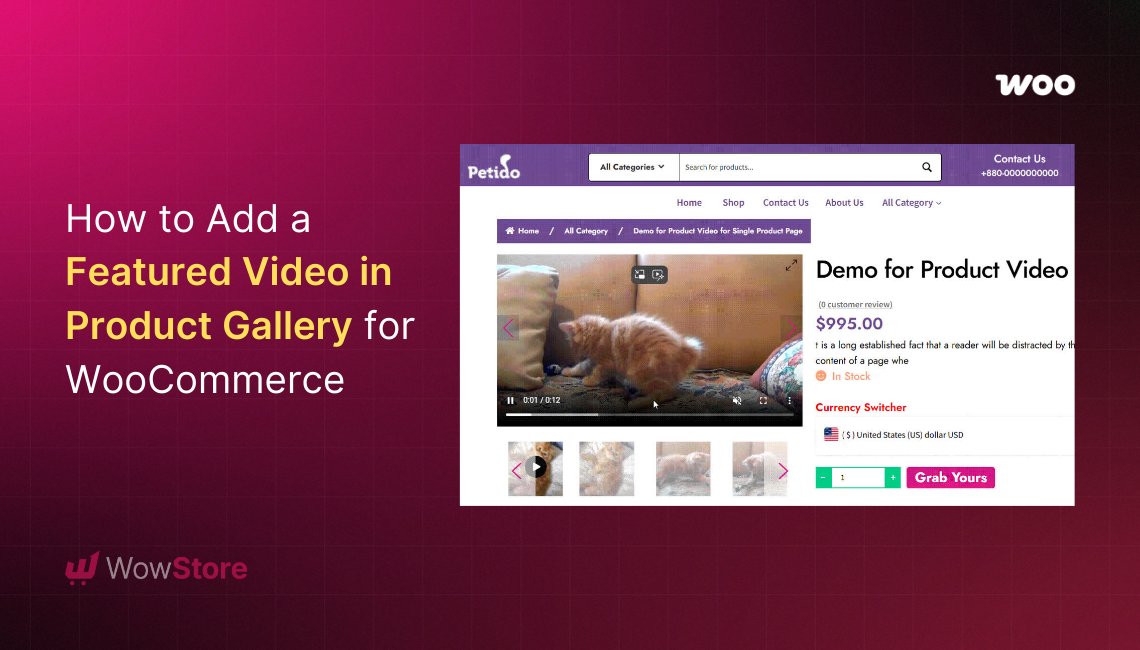
Adding videos to product pages is no longer just a “nice extra” for WooCommerce stores. In 2026, shoppers expect to see products in action before buying. Static images still matter, sure, but videos explain things more quickly. A 10-second clip can often answer questions that five product images cannot.
The problem is that many store owners hesitate to add videos because they fear slower loading times, poor mobile performance, or cluttered galleries.
And honestly, that concern is valid.
A badly optimized video setup can absolutely drag down your store speed. But if done correctly, adding a WooCommerce product video can improve engagement without affecting performance much at all.
This guide breaks down practical ways to add videos to your WooCommerce gallery while keeping your store smooth and fast.
Why Product Videos Matter More Than Ever
Online shopping has become heavily visual. Customers want proof before purchasing, especially for products like:
- Electronics
- Clothing
- Furniture
- Beauty products
- Accessories
- Handmade items
A simple demo video helps customers understand:
- Product size
- Texture
- Functionality
- Real-life usage
- Color accuracy
- Movement and details
Stores using a WooCommerce video in product gallery setup often see visitors spend more time on product pages because the content feels more interactive and trustworthy.
But again, the key is balance. More videos does not always mean better performance.
The Biggest Mistake Store Owners Make
A lot of WooCommerce stores upload massive raw video files directly to product pages.
That is where problems start.
Heavy video files can:
- Increase page load times
- Hurt Core Web Vitals
- Slow down mobile browsing
- Affect SEO rankings
- Increase bounce rates
Instead of throwing large MP4 files everywhere, smarter stores optimize how videos are displayed.
Better Ways to Add Videos Without Hurting Speed
Use Embedded Videos Instead of Huge Uploads
One of the easiest ways to reduce server load is embedding videos from platforms like:
- YouTube
- Vimeo
- Dailymotion
Instead of hosting giant files on your server, these platforms handle streaming externally.
This keeps your WooCommerce store lighter while still allowing you to display a WooCommerce product video professionally.
For many stores, this alone fixes most speed concerns.
Keep Videos Inside the Product Gallery
A cleaner approach in 2026 is placing videos directly inside the gallery instead of embedding random players inside product descriptions.
Why?
Because it keeps the layout organized and improves user experience.
A proper WooCommerce video in product gallery setup allows customers to browse product images and videos naturally in one section instead of scrolling all over the page.
This creates a smoother buying flow without overwhelming the visitor.
Avoid Autoplay Everywhere
Autoplay sounds modern until it destroys mobile performance.
Videos that start instantly can:
- Consume bandwidth
- Annoy users
- Slow rendering speed
- Affect CLS and LCP metrics
Instead, use clickable thumbnails or launch buttons.
Many store owners now prefer popup-based video viewing because it keeps the page lighter while still making videos accessible.
Use Different Videos for Product Variations
This is one feature many stores still ignore.
Instead of showing one generic video, variation-specific videos create a much better experience.
For example:
- A black hoodie variation can show the black version in action
- A red sneaker variation can display the red product video
- Different phone models can show separate demos
This helps customers feel more confident about exactly what they are buying.
Why Plugins Matter Here
Trying to manually add video code into WooCommerce usually becomes messy fast.
A proper plugin handles:
- Gallery placement
- Embeds
- Variation videos
- Mobile responsiveness
- Popups
- Thumbnail management
- Video sorting
Getting a WooCommerce product video plugin by FmeAddons is honestly a smart solution for stores wanting cleaner implementation without editing templates manually.
Their plugin supports:
- Featured videos
- Gallery videos
- YouTube embeds
- Vimeo embeds
- Variation-based videos
- Popup playback
- Video thumbnails
- Custom sizing
More importantly, it avoids turning product pages into overloaded media dumps.
What Actually Keeps Video Galleries Fast?
Here are the real things that matter:
Lightweight Thumbnails
Instead of loading full videos immediately, modern galleries first load lightweight thumbnails.
The video only loads after interaction.
Huge difference in speed.
Lazy Loading
Lazy loading delays video loading until users scroll near the gallery section.
This improves initial page speed dramatically.
Proper Compression
If you upload direct videos, compress them first.
Recommended formats:
- MP4
- WebM
Avoid uploading giant uncompressed MOV files straight from phones or cameras.
Stores That Benefit Most From Product Videos
Some industries gain massive value from a WooCommerce video in product gallery setup:
| Industry | Why Videos Help |
| Fashion | Shows fit and movement |
| Tech | Explains features quickly |
| Furniture | Gives size perspective |
| Jewelry | Shows shine and detail |
| Handmade products | Builds authenticity |
| Fitness products | Demonstrates usage |
In many cases, videos reduce pre-sale questions because customers already understand the product better.
One Smart Strategy Many Stores Use
Instead of placing videos on every single product, many stores only use them for:
- Best sellers
- High-ticket products
- Complex products
- New launches
This keeps the site manageable while maximizing impact where it matters most.
Honestly, that strategy works surprisingly well.
Video Placement Matters Too
Not all placements perform equally.
Most stores now prefer:
- First gallery slot for images
- Second or third slot for video
- Popup launch buttons
- Variation-based video switching
This keeps the product page balanced instead of feeling overloaded with media.
Final Thoughts
Adding videos to WooCommerce product pages in 2026 is less about “adding more media” and more about creating a smoother buying experience.
A properly optimized WooCommerce product video setup can help customers understand products faster, stay longer on pages, and make more confident purchasing decisions.
The important part is keeping things lightweight and organized.
Using embedded videos, optimized galleries, lazy loading, and variation-specific clips helps stores avoid the performance issues many people worry about.
And if you want a cleaner setup without custom coding headaches, integrating a WooCommerce video in product gallery plugin by FmeAddons can be a reliable approach for handling videos professionally while keeping your storefront manageable and user-friendly.
